Thursday, 1 May 2014

Joomla

Through this project I have learnt a lot with how to use Joomla. Although I have come across obstacles and bits I haven't been successful with, I think that I have managed to overcome the problems pretty and quickly too.


I found this book a useful, it was easy to follow and helped me with bits I was stuck on. 
I also found it useful talking about with people in the group who were also using it. It gave me an opportunity to pick up things they have found out and could ask them questions as well. Equally I could do the same to them.

Tuesday, 29 April 2014

Making the site


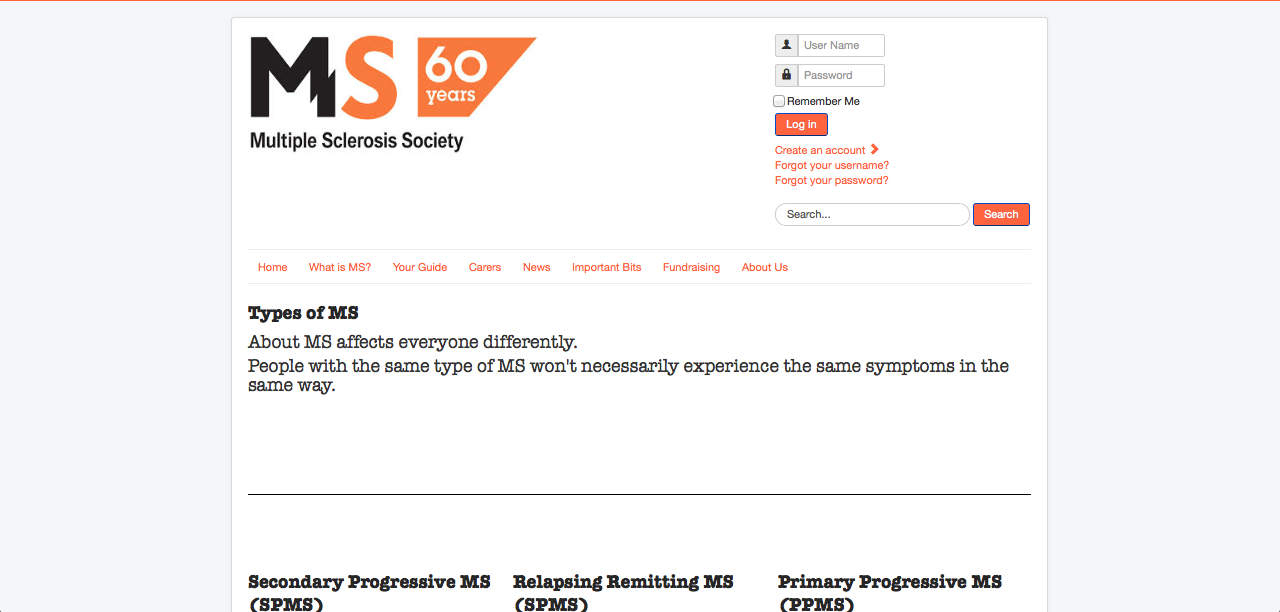
The screen shots above show my homepage. Originally I had it so that it was one list, however it meant that the users would have to scroll down the page. I decided to try having two columns and I thought that it looked much better. Though this isn't what I initial thought when I was sketching, but with my limited knowledge on Joomla, this was the closest alternative to what I wanted.


This is the What is MS? page. I played around quite a bit with the layout, changing the columns, the font and also the ordering of the text.

Monday, 28 April 2014

Collecting Content

Having experience first hand of being around MS, I was able to collect plenty of information. The problem that I had was filtering the information.


These are some of the booklets that I used in order to get hold of content.

After looking through and filtering the relevant, I found it useful to put the content into a word document before putting it into Joomla. This way I could make sure the spelling and grammar was correct.

Saturday, 26 April 2014

Joomla Notes

Notes

Horizontal Menu

* Module manager
* Click main menu
* Click advanced - suffix: (space)nav-pills
* Save and close

T3 Framework

T3 framework package - download
T3 BS3 blank template - download as well

Extension manger

* Choose file
* Go inside your folder & select the zip
* Upload and install

Plugin manager - go in to see if it is there
Template manager - to find TS BS3

------------------------------------------------------------

Create a category

Content/ Category manager/ Add new category

Populate the category with an article, save and close

Create an article

Content/ Article manager/ Add new category

Assign to category - you have created

Assigning category to a menu

Then you can assign just one template


Article manager options - Blog/featured layouts
to change the order of the blog posts

Creating a sub category

Make a new category
where it says parent, select the page you want to link

Create new article
where it says category, select the sub category

Go to main menu - create a new one

Parent item = page you want in

Refer back to the top of the page to put in content

Friday, 25 April 2014

Ideas

These are some of my sketches and brainstorms that I've done.


Tuesday, 22 April 2014

Icons

After looking at the branding guidelines, I went on to come up with my own icons relating to the topics in my site.


I did two versions of the icons, one in colour and one without. After sketching them, I scanned it and opened it up in Illustrator.


I opened another document up in Illustrator and tried out different versions of the icons.


Thursday, 17 April 2014

Contacting the MS Society

It took the MS Society a couple of weeks to get back to me, but luckily they gave me permission to use the logo as well as giving me a disclaimer that I need to put in my site.


The MS Society logo is a registered trade mark of Multiple Sclerosis Society. Registered charity nos. 1139257 / SC041990. Registered as a limited company in England and Wales 07451571
The MS Society logo is used by permission of the MS Society for this piece of coursework only. Use of the logo does not signify endorsement of any kind by the MS Society.